
RFID CARD
How to activate your RFID card in seconds.
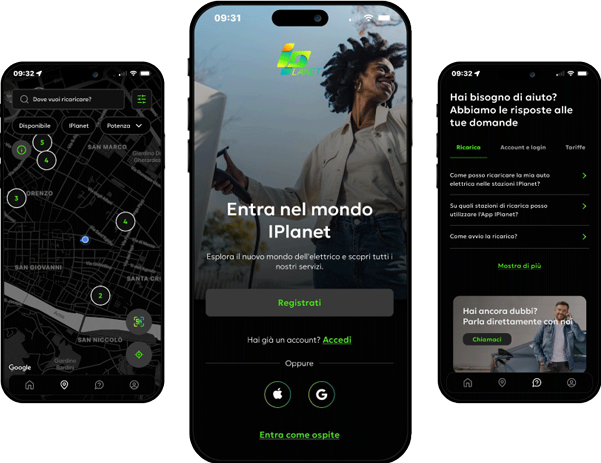
Download the IPlanet App
A practical and intuitive app that allows you to find the nearest charging station and monitor your consumption in real time.
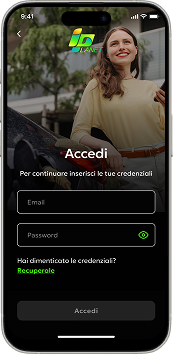
Log in to your account or register
If you’re already registered, click Log in and enter your credentials. Otherwise, click Register and enter the required information.
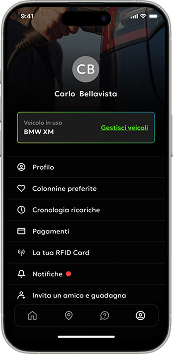
Pair your RFID card
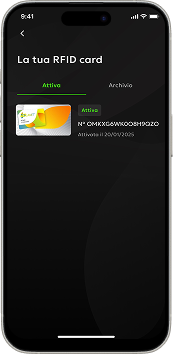
From your account, go to the “Your RFID Card” section, click the “+” symbol, and then click “Activate an RFID Card.” Scan the QR code or enter the 16-digit code to activate your card.
Recharge in minutes
Your RFID card is active and ready to use!
Just hold it up to the reader at the charging stations and you’re ready to go with us.
The rate and payment method applied will be those you selected directly in the app.
Find the nearest station on the app and recharge your batteries!
We look forward to traveling together toward more sustainable mobility.
Our Energy
is 100% Renewable
IPlanet certifies the origin of all the energy supplied by its ultra-fast charging stations. In 2024, we received a Cancellation Statement from the Energy Services Manager (GSE), confirming the cancellation of 260 Guarantees of Origin, equivalent to 260 MWh of renewable energy used.

